
The Settings tab
“I’m your groundsman, after all. You tell me how you want it done.” The Settings tab holds every preference in one table. Changes save as you make them, and Undo in the header takes any of them back.
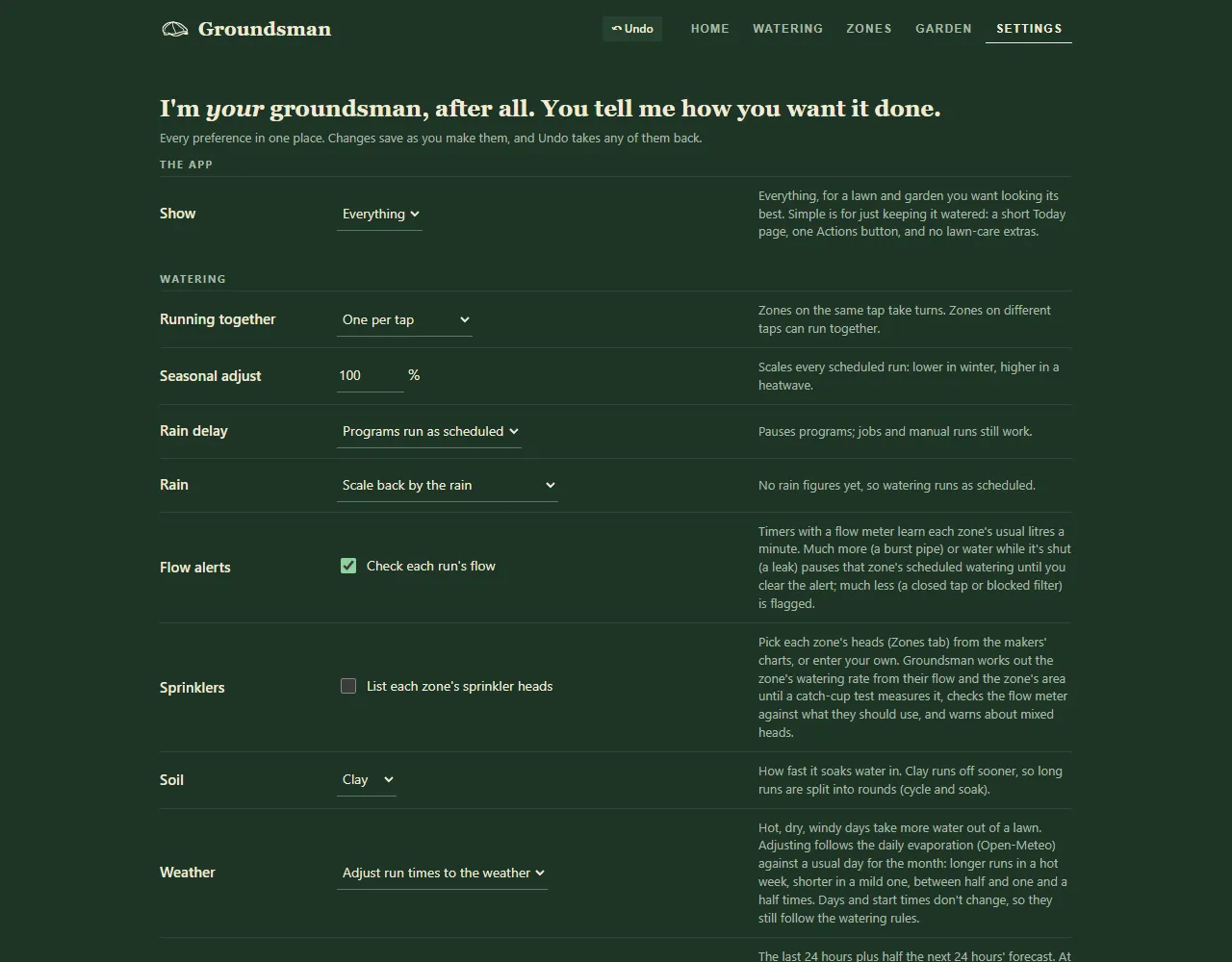
The Settings tab.
The app
Section titled “The app”- Show: Everything, or Simple for a short Home page and one Actions button. See simple view.
Watering
Section titled “Watering”- Running together: One at a time, One per tap or One lawn at a time. See running together.
- Seasonal adjust: scales every scheduled run, from 10 to 200%. See seasonal adjust and rain delay.
- Rain delay: “Programs run as scheduled”, or paused for 1, 2 or 3 days or a week.
- Rain: off, skip runs after rain, or scale back by the rain. See rain and weather.
- Flow alerts: Check each run’s flow. See flow meters and leak alerts.
- Sprinklers: List each zone’s sprinkler heads. See sprinkler heads.
- Soil: sandy, loam or clay. Clay runs off sooner, so long runs are split into rounds.
- Weather: “Adjust run times to the weather”, or run times as set.
- Rain from: your weather station or the forecast only. This shows only if you have a station. See weather stations.
- Rain that counts: how much rain skips a run (5 mm to start with).
- Watering rules and Rule warnings. See watering rules.
Lawn and mowing
Section titled “Lawn and mowing”Lawn look, Cutting height, Mowing (one big mow or lawn by lawn), Equipment and Renovating this year. Press Update my mowing jobs to put the changes on your job list. See mowing plan.
Products and plan
Section titled “Products and plan”- Supplier: where plans, products and prices come from (LawnHub for now).
- Plan level: from Ideal down to Budget, with each one’s cost a year. See plan cost and budget.
- Sprayer size: 0.5 to 100 L. Mixing instructions are worked out for this tank. See how to mix and apply.
In Simple view, the lawn, mowing and product settings are hidden.
Each zone is set up on the Zones tab rather than here. Under Timers, you answer each zone’s setup questions: what it waters, its grass, how it’s watered and its tap. See zone settings.
This controller
Section titled “This controller”The Groundsman version, with Check for updates (or Update to a new version), Restart Groundsman and Restart Groundsman Hub. See updates and restarting.
Related
Section titled “Related”Groundsman · smart watering and lawn care for Adelaide homes ·hello@groundsman.au